
Best AI Study Platforms With Canvas Integration
By Jude Moore, Chief Product Officer at Cordia AI · Last updated: November 9, 2026
Disclosure: the author helps build Cordia Classroom.
AI study platforms are apps that turn your course material into things you can study with, like practice questions, flashcards and explanations. StudyFetch, Gemini Notebook and Claude offer Canvas integrations that your school installs, while Cordia Classroom and Knowt work from the student side through a Chrome extension. How a tool connects to Canvas matters as much as what it makes, because a school-installed integration only helps you if your school has turned it on.
What are AI study platforms and how do they help college students?
AI study platforms read material you give them and turn it into study tools. The useful ones quiz you instead of just summarizing, because testing yourself builds memory better than rereading.
Here's a concrete example. You upload a 40-slide biology lecture, and the platform gives you an outline, a set of questions that covers each slide, and flashcards that come back on a schedule before the exam. A good one also tells you which questions you got wrong and brings them back until you get them right.
Most of these tools fall into two groups:
- Study platforms (Cordia Classroom, StudyFetch, Quizlet, Knowt, Gemini Notebook) are built around your course material.
- General-purpose assistants (ChatGPT, Claude) can explain almost anything but aren't built around your course files or a review schedule.
Which AI study platforms integrate with Canvas?
Three tools offer Canvas integrations your school installs, two work from the student side, and one has no current Canvas integration we could find. The table below shows how each one connects and what it costs, checked against each company's own pages on November 9, 2026.
| Tool | How it connects to Canvas | What it makes | Uses your own materials | Free tier | Price |
|---|---|---|---|---|---|
| Cordia Classroom | Student-side: Chrome extension and Canvas calendar feed | Study guides, practice quizzes, flashcards with spaced review | Yes | 3 study guides a month | Pro $4.99/month; Academic Weapon $9.99/month |
| StudyFetch | School-installed (LTI 1.3) | AI tutor, flashcards and quizzes from course files | Yes | Free to start; see StudyFetch for limits | No pricing page linked from their site |
| Quizlet | No current integration found | Flashcards and adaptive study | Partly (also a library of others' sets) | See their pricing page | See their pricing page |
| Knowt | Student-side Chrome extension; school-licensed LMS integration | Flashcards, notes, practice tests, spaced repetition | Partly (also a public library) | All study modes; 1 AI summary a month | $149.99/year or $24.99/month |
| Gemini Notebook | School-installed (Gemini LTI) | Grounded notebooks, audio overviews | Yes, with sources | Free for eligible schools | See their plans page |
| ChatGPT | Teacher-built AI assignments inside Canvas | General answers; Study Mode | No (general model) | Unlimited text chats, limited uploads | See their pricing page |
| Claude | School-installed (Claude for Education LTI) | General answers | No (general model) | Free plan, up to 5 Projects | Pro $20/month or $17/month billed yearly |
Sources: Cordia pricing, StudyFetch for institutions, StudyFetch, Quizlet upgrade page, Gemini Notebook plans, Knowt free plan, Knowt on Canvas, Google Gemini LTI, Instructure and OpenAI, ChatGPT pricing, Claude LTI in Canvas, Claude pricing.
How does Canvas integration actually work?
There are three ways an AI tool can get your Canvas material, and they differ in who has to say yes. If you can't wait for your school's IT team, only the second and third options are in your hands.
School-installed (LTI). Your school's Canvas admin adds the tool as an "external tool," usually after a security and accessibility review. Once it's on, the tool can appear right inside your course. StudyFetch, Gemini Notebook and Claude for Education work this way.
Student-side. You connect it yourself. A Chrome extension reads the Canvas pages you already have open, and Canvas's own calendar feed shares your deadlines with other apps. Cordia Classroom and Knowt work this way.
Manual upload. You download slides or PDFs from Canvas and upload them to the tool. This works with almost any AI tool, but nothing stays in sync.
A few details are worth knowing before you pick a student-side tool:
- The calendar feed carries deadlines, not grades. According to Instructure's guide, it includes events and assignments from all your Canvas calendars, but not To Do items, and Google Calendar can take up to 24 hours to update.
- Grade and announcement sync depends on your school. Some schools turn off the account access that outside apps use, so any tool that reads grades directly works only if your school allows it.
- Extensions only see what you can see. They read pages that are already open in your browser, with your own login.
How do you choose an AI study platform?
Start with where your material lives and whether your school has already installed something. Then check these six things:
- Grounding in your class materials. The tool should build questions from your slides and readings, not from the open web, so you study what your professor will test.
- Accuracy you can check. Look for answers you can trace back to your material, and spot-check a few before trusting a whole set.
- Active recall and spaced review. Tools that make you answer from memory, then bring missed items back over days, beat tools that only summarize.
- Price. Compare the free tier to how many classes you're taking, not just the monthly price.
- Whether your school must approve it. School-installed tools need IT; student-side tools don't.
- Academic-integrity policy. Check your syllabus, and prefer tools that state clearly what they're for and what they're not for.
Cordia Classroom
Cordia Classroom is a student-side tool built around your own course material. The Chrome extension captures Canvas, Blackboard and Moodle pages, and Cordia turns them into a study guide with an outline, questions and flashcards.
How it builds questions: Cordia first lists every testable concept in your material, then writes one question per concept using only facts stated in that material. Flashcards come back on a schedule of 1, 2, 4, 7, 15 and 30 days, and each answer can carry a confidence rating (Sure, Think so, Guess) so confident mistakes get flagged.
On the Canvas side, Cordia can pull deadlines from your Canvas calendar feed and show the grade you need on your next assignment. Grade and announcement sync works if your school allows it.
Where others beat it: Cordia is new and small. It doesn't have a school-installed LTI integration like StudyFetch, Gemini Notebook or Claude, it doesn't have a library of shared sets the size of Quizlet's or Knowt's, and its free plan (3 study guides a month) is tighter than Knowt's.
Studying with Canvas in Cordia
StudyFetch
StudyFetch is the strongest pick if your school has installed it. It supports LTI 1.3 integration with Canvas, Blackboard, Schoology, D2L Brightspace and Google Classroom, and says its AI tutor is grounded in each student's course materials.
Trade-off: the integration is sold to schools, so a student at a school that hasn't adopted it can't turn it on alone. StudyFetch doesn't link a public pricing page from its site, so confirm current plans with StudyFetch before you pay.
Quizlet
Quizlet is the most familiar flashcard app, with a large library of sets made by other students. If someone has already made a good set for your course, that can save time.
Trade-off: we found no current Canvas integration from Quizlet, and university IT pages say it withdrew its Canvas LTI support. Instructors can still embed Quizlet sets in Canvas pages. Community sets also aren't your professor's material, so check them against your notes. See Quizlet's pricing page.
Knowt
Knowt has a generous free plan: unlimited flashcard sets and notes, and every study mode, including Learn, Practice Test and Spaced Repetition. Its Chrome extension can import from Canvas pages and from Canvas videos that have transcripts.
Trade-off: AI summaries are limited to one a month on the free plan, and Canvas videos without transcripts need to be downloaded and uploaded instead. Knowt Ultra is $149.99 a year or $24.99 a month.
Gemini Notebook (formerly NotebookLM)
Gemini Notebook answers from the sources you add, which makes it a strong choice for reading-heavy courses. Through Google's Gemini LTI, teachers can add notebooks directly inside a Canvas course.
Trade-off: the Canvas route is teacher-driven and needs your school's Google Workspace admin to turn it on, and it only works with Workspace for Education accounts. If your school hasn't set it up, you can still upload course files to a notebook yourself. See Gemini Notebook's plans page for personal plans.
General-purpose AI assistants: ChatGPT and Claude
ChatGPT and Claude are general-purpose assistants. They're strong for explaining a hard concept, brainstorming and working through a problem step by step, but they aren't built around your course files, spaced review or practice-test generation.
- ChatGPT: Instructure and OpenAI announced a partnership in July 2025 that lets teachers build AI assignments inside Canvas. That's a teacher tool; we found no official way for a student to link their own Canvas account to ChatGPT. Study Mode is available on every plan, including Free.
- Claude: Claude for Education supports Canvas through an LTI integration that a school installs: a Canvas admin adds the app and a Claude for Education admin turns it on. A student can't enable it alone. The free plan includes chat, file creation and up to 5 Projects; Pro is $20 a month or $17 a month billed yearly.
A real example: Canvas module to practice test with Cordia Classroom
This walkthrough turns one Canvas module item, a 59-slide chapter deck, into a study guide and practice test. It works on the free plan and counts as one of your 3 study guides for the month. Screenshots are from a real run in our own Canvas course.
Open the slides in Canvas. Open the module item with the lecture slides or reading you want to study.
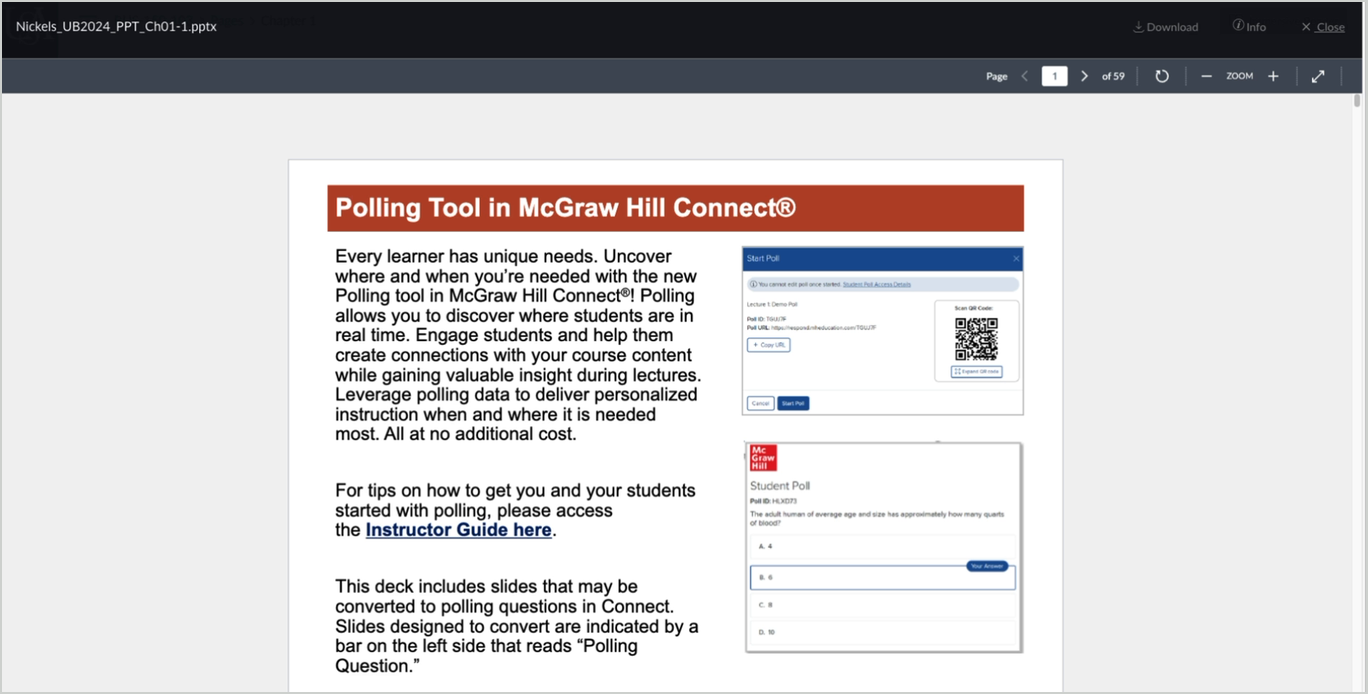
Open Cordia's side panel. Click the Cordia icon in Chrome's toolbar, or press Ctrl+Shift+Y (⌘+Shift+Y on Mac). The panel shows the page it will read; click "Make study guide." Get the Chrome extension
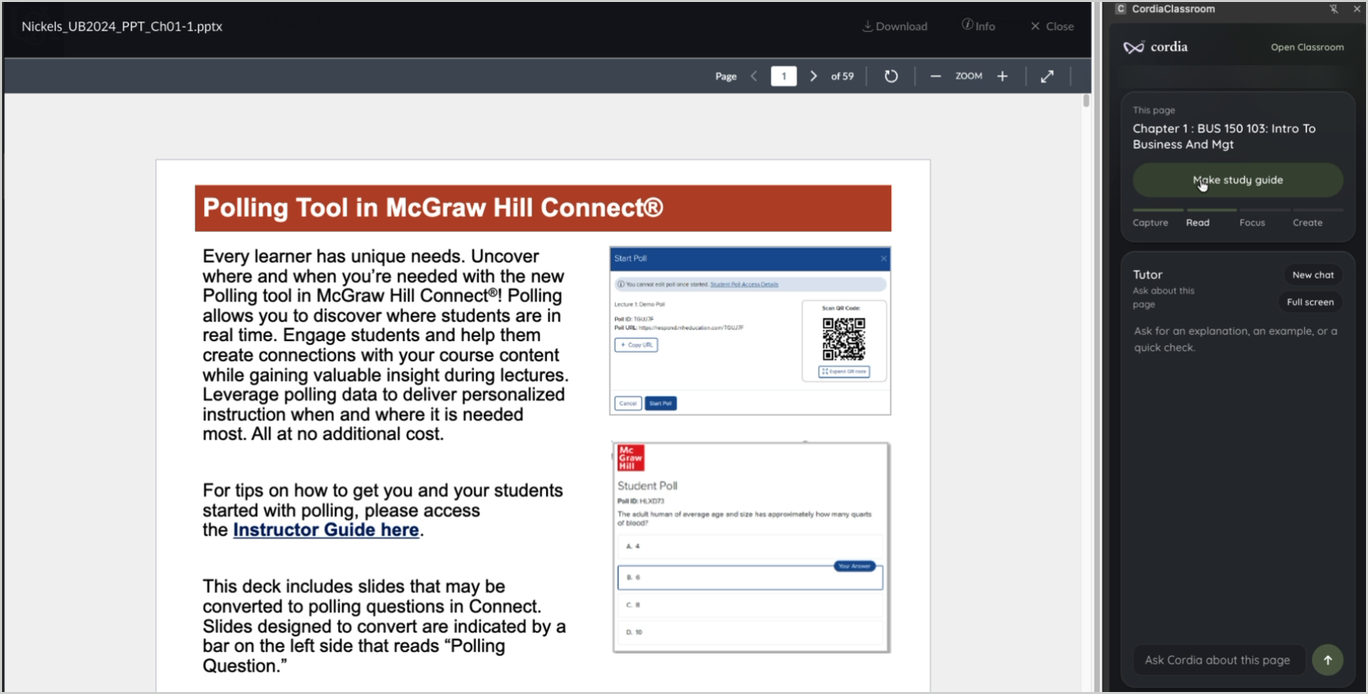
Let it build. The panel moves through Capture, Read, Focus and Create while Cordia reads the page and writes the guide. Keep working in the tab; you can save it when it finishes.
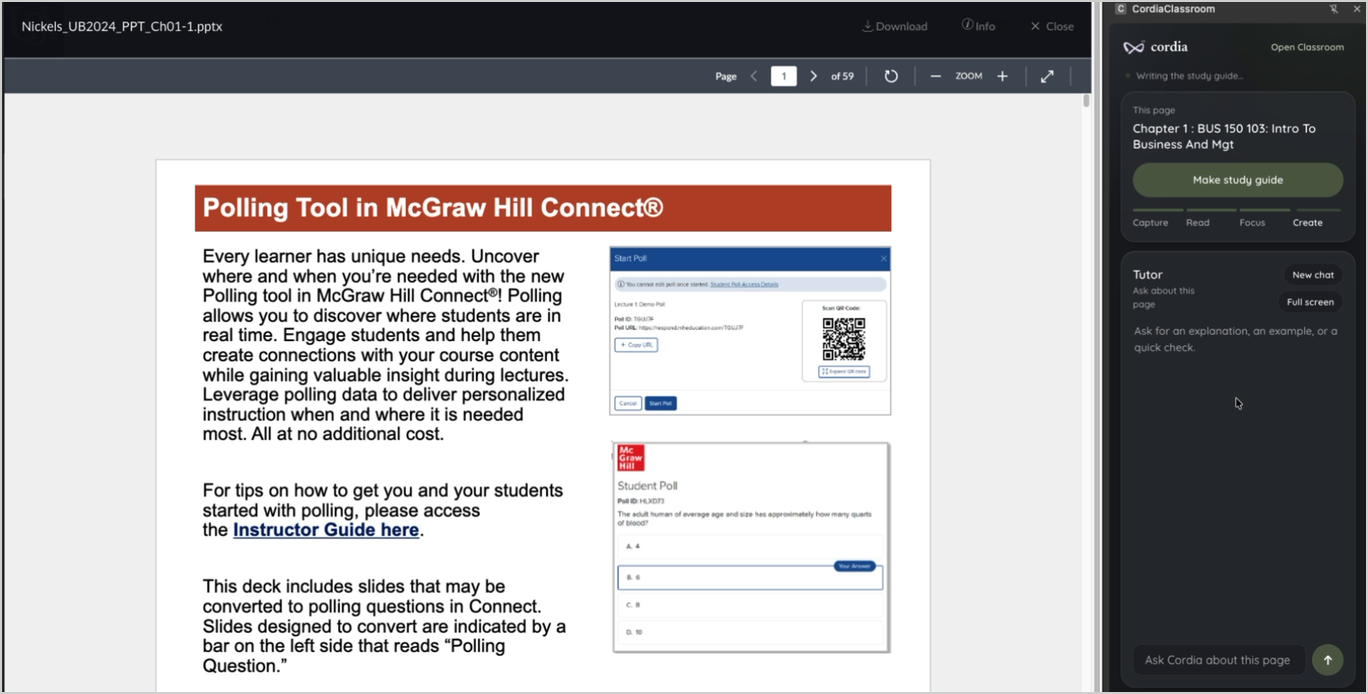
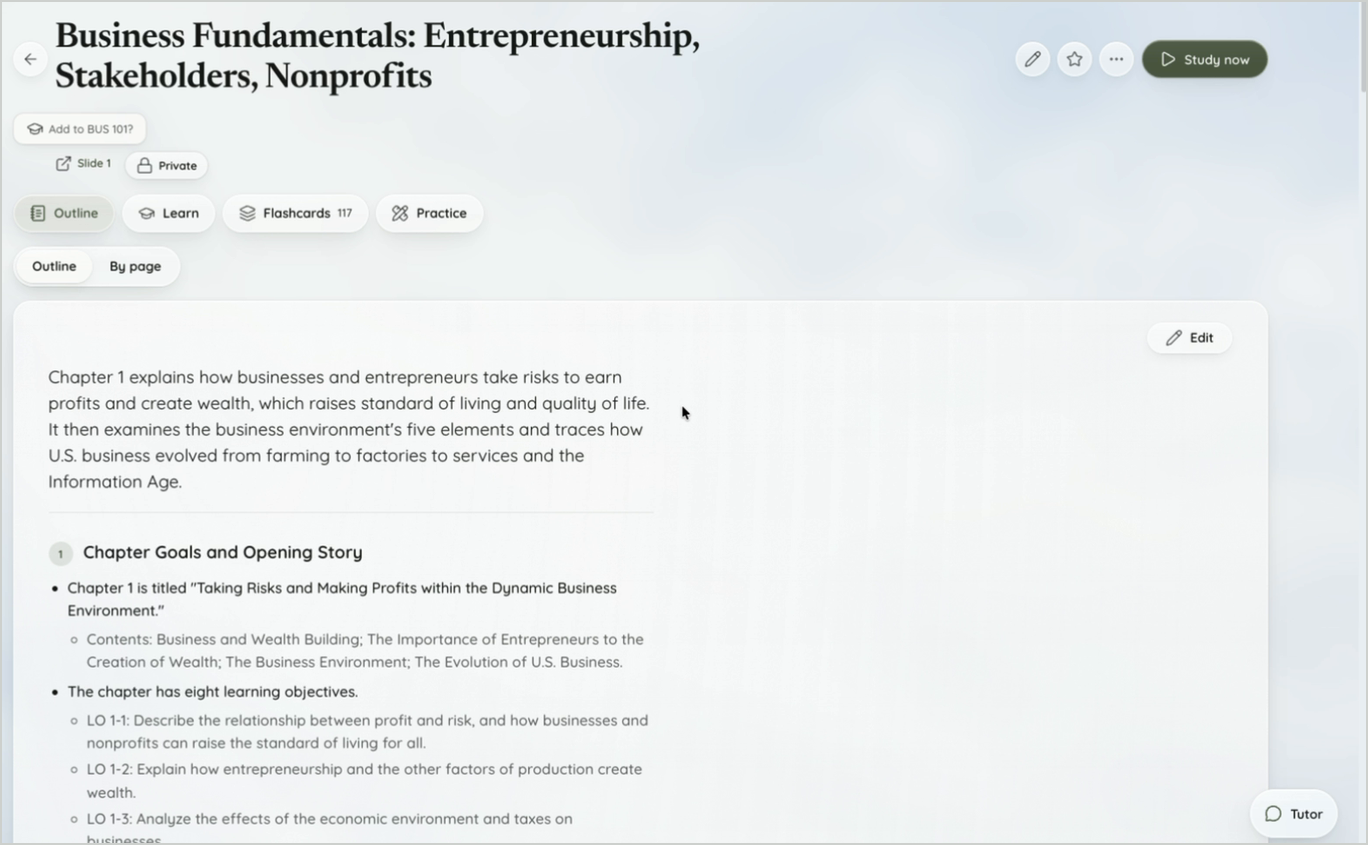
Save it to Classroom. The guide opens on an outline of the material, with tabs for Learn, Flashcards and Practice. In our run, the 59-slide deck produced an outline and 117 flashcards.
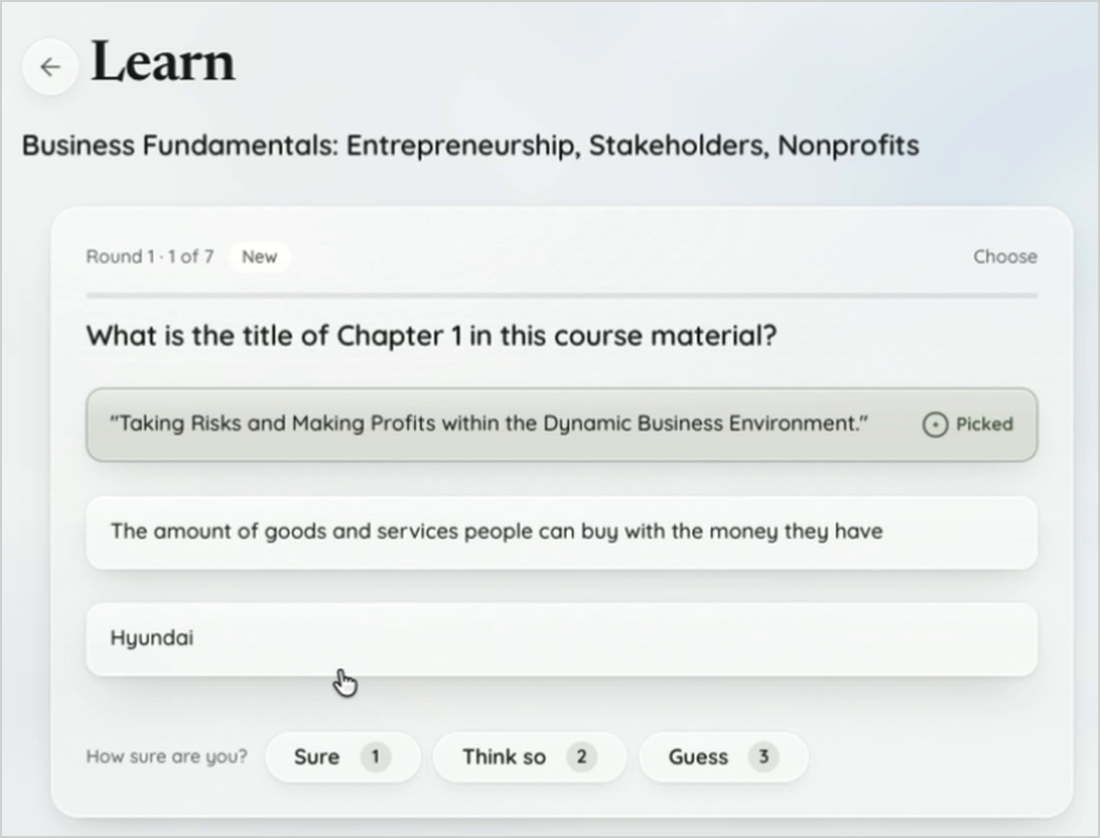
Study it in Learn. Answer each question, then rate how sure you are: Sure, Think so or Guess. A right answer you guessed doesn't count as learned, and Learn only lets you master an idea by typing or explaining it.
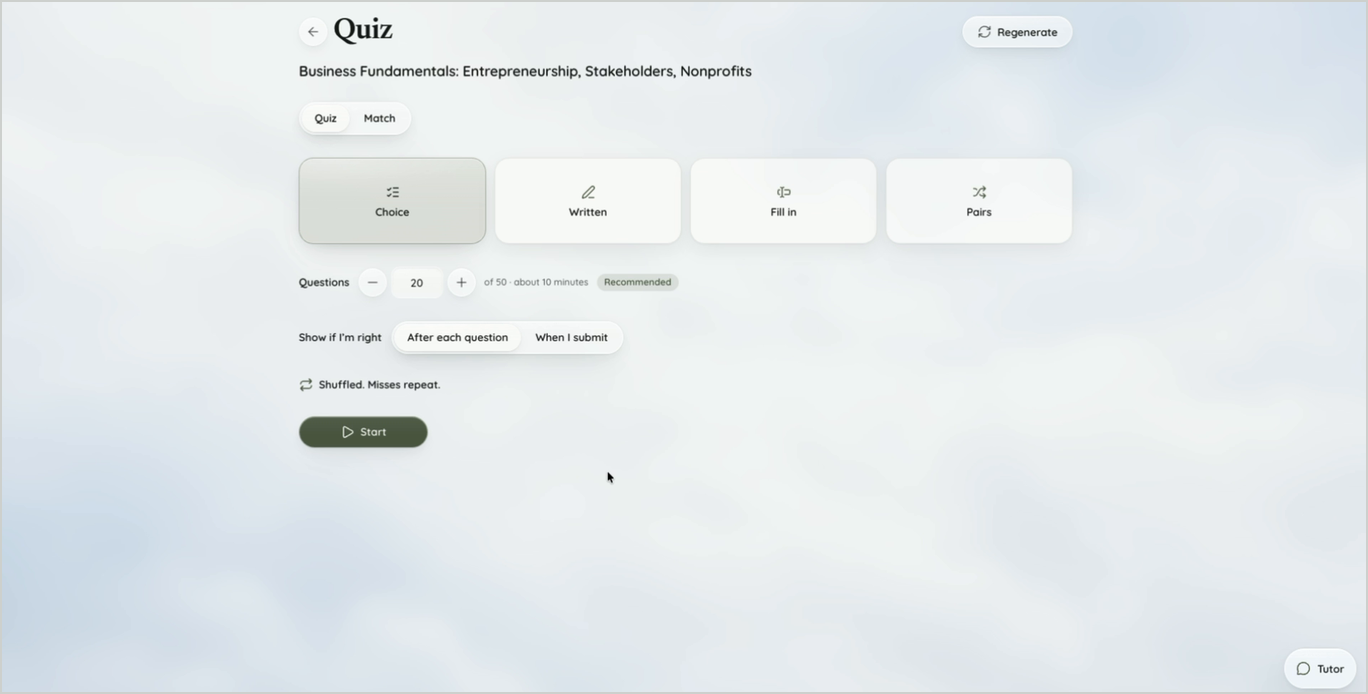
Take the practice test. Open Quiz, pick Choice, Written, Fill in or Pairs, and set how many questions you want. Missed questions repeat until you get them right.
Frequently asked questions
Which AI study platforms integrate with Canvas?
StudyFetch, Gemini Notebook and Claude for Education offer Canvas integrations that your school installs, and teachers can build ChatGPT-style AI assignments in Canvas through Instructure's partnership with OpenAI. Cordia Classroom and Knowt work from the student side through a Chrome extension, without waiting for your school to install anything. We found no current Canvas integration from Quizlet.
Does Cordia Classroom work with Canvas?
Yes, from the student side. The Chrome extension turns Canvas pages you have open into study guides, and Cordia can pull your deadlines from Canvas's calendar feed. Grade and announcement sync works if your school allows it.
Does Cordia Classroom work with Blackboard or Moodle?
Yes, through the Chrome extension, which captures course pages and slides from Blackboard and Moodle as well as Canvas. Deadline and grade features are built for Canvas.
Is Cordia Classroom free?
Yes. The free plan includes 3 study guides a month, 10 Tutor prompts and 5 Explain views. Paid plans are Pro at $4.99 a month and Academic Weapon at $9.99 a month.
Is Cordia Classroom accurate?
Cordia lists every testable concept in your material first, then writes one question per concept using only facts stated in that material. That keeps questions tied to your class, but you should still spot-check answers against your notes, as with any AI tool.
Is Cordia Classroom allowed at my school?
It depends on your school and course policy, so check your syllabus first. Cordia's Honor Code says not to submit AI-written work as your own or use Cordia during live exams, and instructors can turn off sharing for their course.
How is Cordia Classroom different from Quizlet?
Quizlet is built around flashcard sets, including a large library made by other students. Cordia builds a study guide from your own class material, with an outline, questions and flashcards, and adds Canvas deadlines, spaced review and confidence ratings.
The bottom line
If your school has installed StudyFetch, Gemini Notebook or Claude for Education, start there, because it's already inside your courses. If it hasn't, a student-side tool is the fastest route: Knowt if you want the most generous free plan, Cordia Classroom if you want questions built from your own material with spaced review and your Canvas deadlines in one place.
Cordia Classroom is an AI study app for college students that turns course material (slides, PDFs, lectures and Canvas pages) into study guides, flashcards and practice tests.